
Assign models
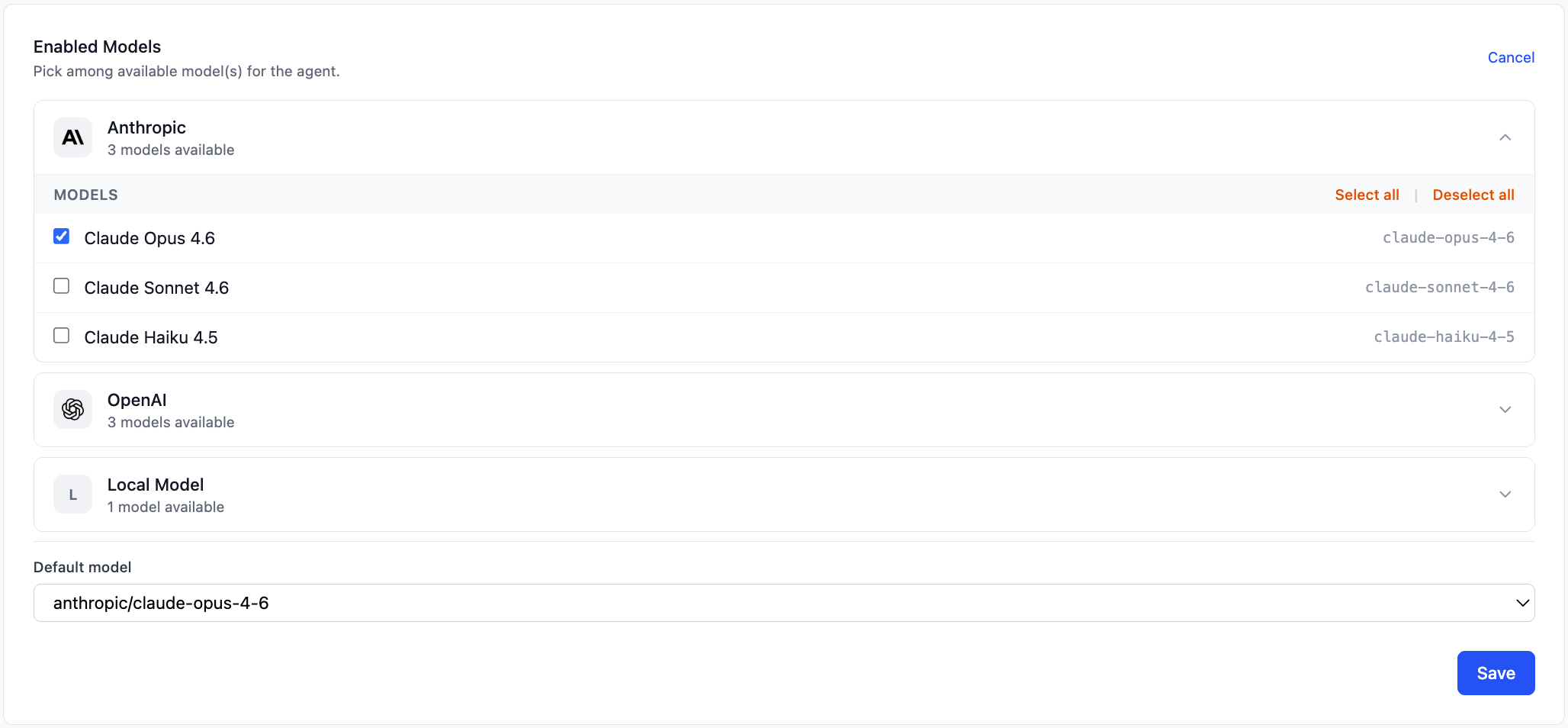
Enabling providers on an instance
Section titled “Enabling providers on an instance”Open an instance and go to the Overview tab. The Enabled Models section (visible to admins) shows which providers and models are active for that instance.
Before enabling models, configure at least one provider in Settings (global) or directly on the instance (instance-specific). See Configuration for both options.
Click Edit to enter edit mode. Both global and instance-specific providers appear in the list. For each provider you want to enable, click its row to expand it:
- Catalog providers and custom providers with a model list — an accordion shows all available models. Check individual models, or use Select all / Deselect all.
- Dynamic providers (no fixed model list, e.g. Ollama with a local model server) — a toggle enables or disables the provider. Models are determined at runtime.
After selecting models, pick a Default model from the dropdown. This becomes the primary model OpenClaw uses for new agents unless the agent explicitly requests a different one.
Click Save. Clawforce pushes the configuration to the container over SSH in the background. A toast notification confirms when the update completes or reports any error.
For more on managing instances, see Managing instances.